
ToDetect: An Essential Tool for Proxy Users to Build a Secure and Stable Multi-Account Environment
22 May 2026
Reading time ~ 3 mins
In cross-border eCommerce, social media marketing, and data scraping, the combo of “fingerprint browser + proxy IP” is often mentioned. But there’s a common misconception: treating all related tools as “anti-detection” tools.
In reality, ToDetect serves a completely different purpose. It is a browser fingerprint detection tool designed to help users quickly understand their current browser environment.
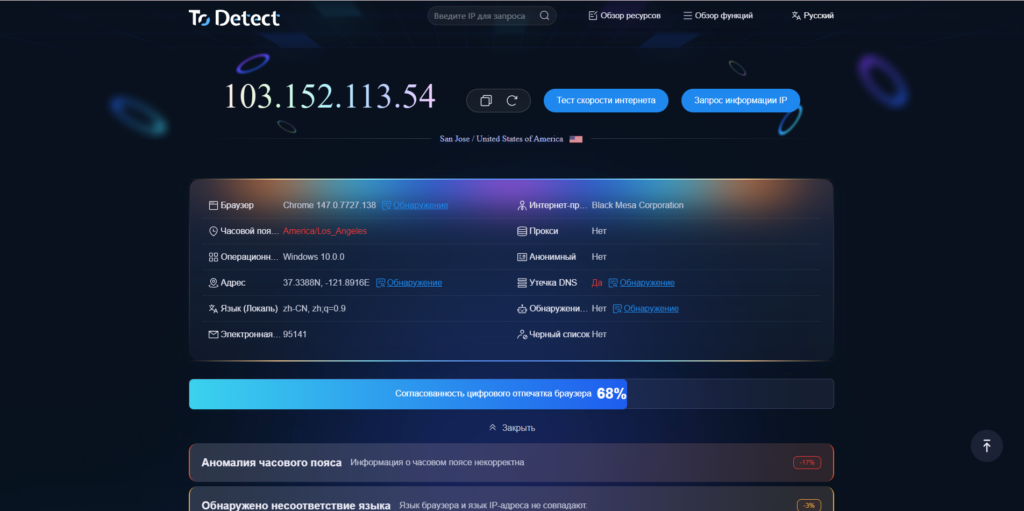
1. What Does ToDetect Actually Do?
The core function of ToDetect is not “masking,” but detection and analysis:
- Check whether your browser fingerprint is unique
- Detect your IP address
- Identify potential DNS leaks
Simply put, it answers one key question:
👉 Is your environment truly secure?
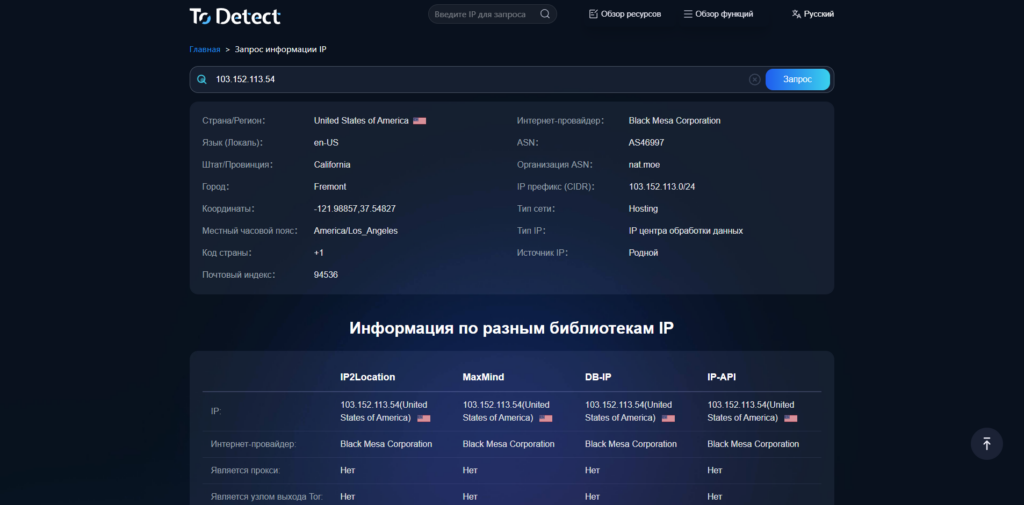
2. The Role of Proxy IPs: Identity Switching at the Network Level
The core value of proxy IPs lies in:
Changing your outgoing IP address
Simulating users from different regions
Reducing the risk of IP bans
In short, it answers:
👉 Where are you accessing from?
3. ToDetect + Proxy IP: From “Using Tools” to “Verifying Safety”
Many users encounter issues when using proxies:
- Accounts get banned even after changing IPs
- Different IPs are still recognized as the same user group
- Some IPs trigger risk controls immediately
The root cause:
👉 You haven’t verified whether your environment + IP is truly clean.
With ToDetect, you can:
1) Evaluate Proxy IP Quality
Check whether:
- The IP is flagged (datacenter vs residential)
- DNS leaks exist
- WebRTC exposes your real IP
2) Validate Browser Fingerprint Consistency
Even with proxies, mismatches like:
- Timezone inconsistencies
- Language mismatches
- Unusual screen resolutions
…can still trigger platform detection.
3) Troubleshoot Account Issues
When problems arise, you can quickly identify:
- Duplicate fingerprints
- Abnormal IP behavior
- Sudden environment changes
👉 Instead of blindly switching IPs, you pinpoint the real issue.
4. Typical Use Cases
1) Pre-Check Before Multi-Account Operations
Before logging into accounts:
- Configure your proxy
- Test the environment with ToDetect
👉 Ensure you’re “safe from the start,” not flagged immediately.
2) Proxy IP Testing & Filtering
When working with bulk proxies:
- Filter out high-risk IPs
- Keep clean residential IPs
- Check anonymity levels
👉 Improve overall success rates.
3) Risk Control Troubleshooting
When facing issues like:
- Frequent login verifications
- Account throttling
- Ad account anomalies
👉 Use ToDetect to identify the root cause.
4) Pre-Validation for Data Scraping
Before running bots or automation:
- Check if your IP is exposed
- Verify fingerprint integrity
👉 Reduce the risk of being blocked.
5. Recommended Workflow
Configure proxy IP
Set up your browser environment (e.g., fingerprint browser)
Run checks with ToDetect
Fix issues (timezone, fingerprint, IP)
Launch your accounts safely
6. Summary
In today’s increasingly strict anti-fraud systems:
- Proxy IPs solve the IP layer problem
- Fingerprint browsers solve the environment problem
- ToDetect solves the verification problem
Think of it this way:
👉 Proxy IP + Browser Environment = Basic Setup
👉 ToDetect = Security validation and verification tool
Only when all three work together can you build a truly stable and low-risk multi-account setup.

Would you like to receive a personalized offer?
If you need technical advice or have a specific request, please contact us.