
Proxies for TG: what they are, how to choose and configure
20 Aug 2025
Reading time ~ 8 mins
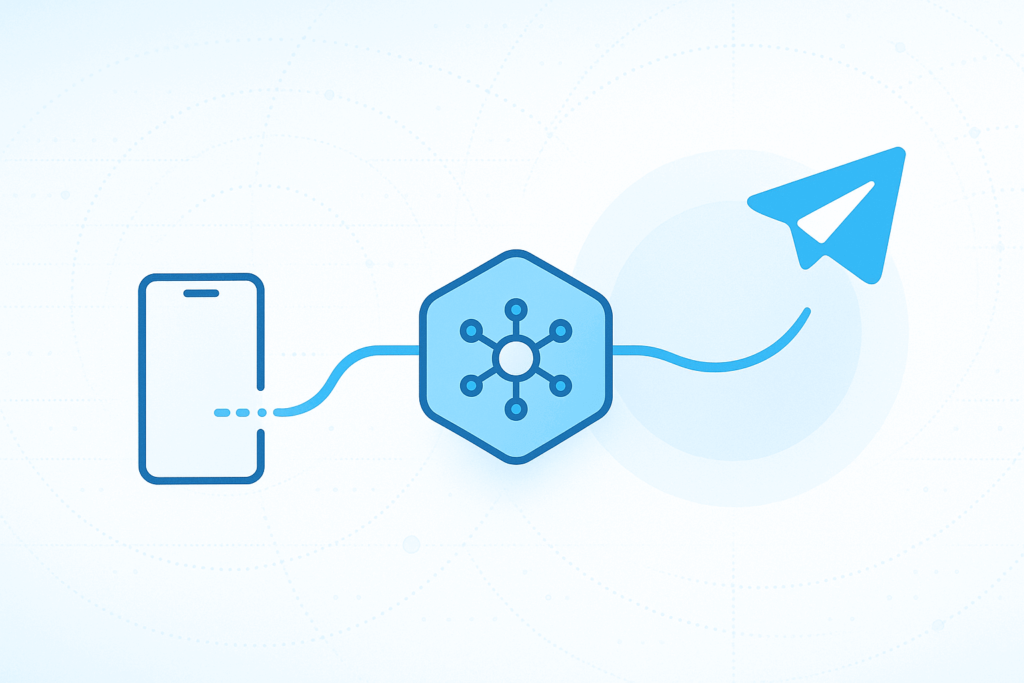
A proxy is an intermediate server for connecting to Telegram during blocks, changing IP geography and improving stability. A practical basic choice is SOCKS5: it’s simple to set up and suits most scenarios. Setup takes less than a minute: on smartphone — “Settings → Data and Storage → Proxy → Add”, on computer — “Settings → Advanced → Network and Proxy”. For reliable operation, get paid pools of the right type: for “home footprint” use residential IP addresses, for demanding mobile networks — mobile residential networks, for static and “clean” ranges — ISP IPs.
- A proxy is needed when access is restricted, you need a specific geolocation, or you’re working with multiple accounts.
- Quick start: choose SOCKS5, enter server and port, save settings — connection status will display immediately.
- For better speed, choose the nearest geo and keep a backup server in case of overloads.
- Proxy doesn’t encrypt all device traffic; for sensitive tasks use appropriate messenger security settings.
What is a proxy in Telegram in simple terms
A proxy is an intermediate node through which the messenger connection passes. The application sees its IP address instead of yours, and the route to servers is built through this node. This helps bypass network restrictions, choose the needed geolocation and reduce the risk of mass restrictions when working with multiple accounts.
What’s important to understand:
- proxy changes the route and IP for the messenger, but doesn’t encrypt all device traffic;
- affects only Telegram connection, not other applications;
- correct choice of geo and address type directly affects speed and stability.
When this is really useful:
- messenger access is restricted by provider, office network or while traveling;
- you need “home” geolocation for local chats, channels and services;
- you separate personal and work sessions, minimizing mutual influence.
If the terminology is new, check out the brief guide — it covers basics and address types: what is a proxy — simple and to the point.
Types of proxies for Telegram: what to choose
From a protocol perspective, SOCKS5 is more commonly used in messengers. It provides stable connection and flexible authorization — this is enough for most scenarios. HTTP(S) also works, but is less common due to application limitations. There’s also an alternative protocol, but it’s a niche option with limited compatibility, so we won’t focus on it in this article.
Quick protocol cheat sheet
| Protocol | When appropriate | Pros | Limitations |
| SOCKS5 | Daily chats, media, calls, working with multiple accounts | Wide support, authorization, speed | Requires correct server/port settings |
| HTTP(S) | Simple scenarios when you only need traffic through proxy | Easy configuration | Less supported, may be inferior in stability |
IP type: behavior and risks
- Residential (home footprint). Closer to real users, better perceived by services. For tasks where naturalness is important — you can check the location list in the personal account.
- Mobile (carrier networks). More tolerant of frequent reconnections and unstable conditions — mobile IP pools are suitable.
- ISP (provider blocks). Static and “clean” ranges — appropriate for long sessions and fixed IPs (we’ll mention this in more detail in the selection section).
- Data center. Most affordable and fast in price/performance ratio, but sometimes “recognizable” by services — suitable for technical tasks and basic messaging.
If you need a working proxy server for telegram without unnecessary surprises, the starting combination is SOCKS5 + appropriate IP type (depending on scenario and geography).
Where to get a working proxy: free or from a provider
There are two ways: get an address from a public list or arrange access through Prosox. The choice depends on the task and acceptable risks.
Public/free lists
Pros: quick and no payment; sometimes “one-click” access.
Cons: instability (addresses are overloaded and often “die”), same IPs used by thousands of people, getting into block lists, speed drops, no support. Suitable perhaps only for one-time access checks or as a temporary “patch”.
Solutions from Prosox
Pros: guaranteed geo and IP type, clear authorization, management panel and replacements, support, possibility of reservation and rotation, predictable performance. The obvious minus is that it’s paid.
The easiest way to start is with data center addresses — good balance of price and speed: check out server proxies. If static and “clean” ranges are important, look at ISP subnets. For intensive scenarios, you’ll need a plan with unlimited traffic.
To check prices and understand which package covers your load, open the pricing plans section.
How to enable proxy in Telegram (SOCKS5)
Android
- Open Settings → Data and Storage → Proxy.
- Toggle Use Proxy → Add Proxy.
- Type: SOCKS5. Enter Server (IP/domain) and Port; if needed, specify login and password.
- Save and make sure the status is “Connected”. For stability, add a second node as backup.
iOS
- Go to Settings → Data and Storage → Proxy.
- Enable proxy and tap Add Proxy.
- Select SOCKS5, specify server and port; if needed — authentication.
- Save changes and check sending messages/media.
Desktop (Windows/macOS/Linux)
- Open Settings → Advanced → Network and Proxy.
- Activate proxy, select SOCKS5.
- Specify IP/domain, port, if needed — login/password.
- Save. When working with multiple tasks, set up a second profile in case of overloads.
Connection via link. If you have a link like t.me/proxy?…, click it in the app and confirm adding — parameters will be filled automatically.
Mini-diagnostics
- Won’t connect. Check type (SOCKS5), IP/port and authorization data; try another node from your allocation.
- Slow or fluctuating delays. Change geo closer to you, use an alternative port from the list, keep a backup server.
- Special requirements. If you need traffic over IPv6, use IPv6 format addresses — they’re available in the IPv6 solutions package. For mobile network tasks, cellular ranges with frequent address changes are suitable — see mobile residential pools.
Useful practices
- Keep a backup server in the list — switching takes seconds.
- Record “working” combinations of IP type + geo + port for reuse.
- For specific address requirements, use IPv6 — the residential IPv6 option helps cover rare cases.
How to choose a solution for your task
Make your choice based on your scenario: first the goal and limitations, then — protocol (SOCKS5) and IP type.
| Scenario | What to choose | Why |
| Personal communication, chats, media | data center | Best speed for reasonable budget, simple start |
| Need natural footprint, local services, careful multi-accounting | standard residential or unlimited residential plans | Natural addresses, fewer false triggers; unlimited — for high load |
| Frequent reconnections, travel, unstable networks | mobile residential | More tolerant of connection dynamics and mobile network restrictions |
| Long sessions with static address, “clean” ranges | static ISP IP blocks | Predictability, good network reputation, convenient for fixed sessions |
| IPv6 addresses required | IPv6 for residential networks | Covers niche cases, additional ranges and routes |
| Need maximum speed on limited budget | data center IP addresses | High bandwidth and minimal latency |
Tip: start with a minimal package, check your geo and load, then scale.
Security and privacy
Proxy helps connect and provide the needed IP, but it’s not a VPN replacement and not an “invisibility cloak”. It affects the messenger connection, not encrypting all device traffic. Inside the app, end-to-end encryption works only in secret chats; regular cloud chats are encrypted differently.
Practical recommendations
- Enable two-step verification (login password) and app protection with code/biometrics.
- Regularly check active sessions (in devices tab) and terminate unnecessary ones.
- Separate contexts: personal and work tasks — different profiles and different proxies/IP types.
- Avoid public “free” lists for permanent work: unstable and unpredictable.
- Use SOCKS5 with authentication, store logins/passwords securely, don’t reuse them in other services.
- Update the app and OS, don’t click suspicious links, be careful with third-party bots.
- Follow legal requirements and platform rules — proxy doesn’t cancel user responsibility.

Frequently asked questions (FAQ)
- Where to enable proxy in the app?
On smartphone: “Settings → Data and Storage → Proxy → Add”. On computer: “Settings → Advanced → Network and Proxy”. Select SOCKS5, enter server and port, save. - How to tell if a proxy is “working” and fast?
Check ping in settings, send a couple of media files and make a short call. Stable ping and fast delivery are signs of normal load. If it’s “slow”, change geo or IP type — for speed, server addresses are often suitable. - What to choose for daily communication — data center or residential?
For messaging and media on a limited budget, data center is convenient. If natural footprint is important, choose residential. - I need a static, “clean” IP. What’s suitable?
Choose ISP proxies: they’re predictable and convenient for permanent static sessions. - I often connect from mobile network and while traveling. Is there a relevant solution?
Yes, use mobile residential: they better handle frequent reconnections.
Summary and next step
Proxy solves a practical task: stable access and needed IP without unnecessary risks. Basic foundation is SOCKS5; then it’s important that the address type matches your scenario and node proximity.
Signs that configuration succeeded
- Connection holds without drops during work sessions.
- Media sends without noticeable delays, voice calls don’t “drop”.
- Ping is stable (stability is more important than occasional spikes).
- No bursts of additional checks during normal use.
How to scale
- Keep an alternative node from a different subsegment/geo for seamless switching.
- Record working combination “IP type + geo + port” and use it as a template.
- Conduct a brief review every few weeks: check delays and address relevance for your load.
- Retriv.Market – A marketplace for accounts with one-click purchasing.
- The Best Anti-Detection Browser is BitBrowser for Multi-Accounting.
- NoCaptchaAI | The Fastest & Most Affordable AI-Powered Captcha Solver
- Dolphin Anty — an anti-detect browser for multiple accounts
- XLogin setup
- ixBrowser setup
- VMLogin setup
- MULogin setup
- GeeLark Setup
- How to set up a proxy in Google Chrome browser

Would you like to receive a personalized offer?
If you need technical advice or have a specific request, please contact us.