
How to Set Up a Proxy in Safari on macOS
02 Oct 2025
Reading time ~ 4 mins
Safari is the standard browser for Apple devices on macOS and iOS, combining convenience and stable performance. If you need to access geo-restricted websites or maintain maximum anonymity, setting up a proxy server is the optimal solution.
A proxy helps bypass blocks, change your IP address, hide network activity, and enhance personal data security. This method is often used for managing multiple accounts or for SMM tasks.
Setting Up a Proxy in Safari on macOS
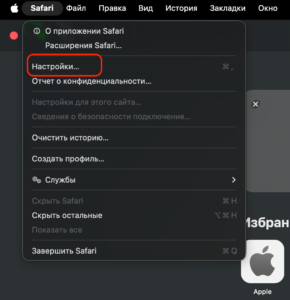
- Click the Safari icon at the top of your desktop and select “Settings”.
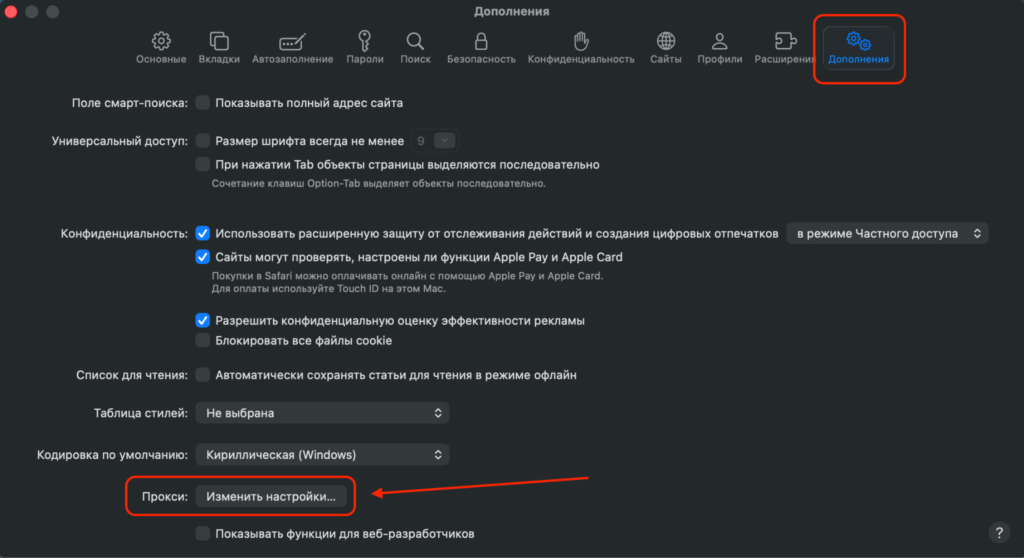
- In the new window, go to the “Advanced” tab and click “Change Settings” next to the “Proxies” line.
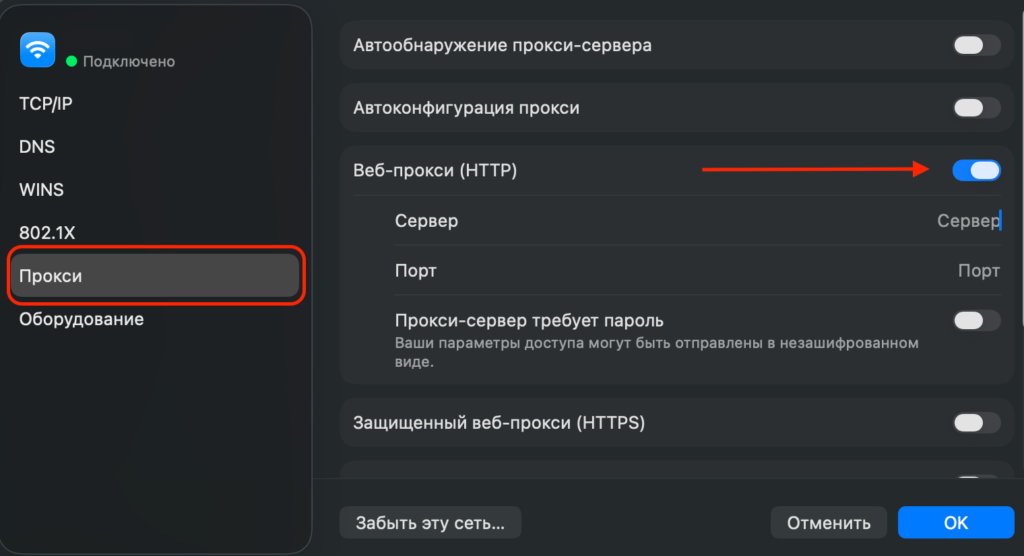
- In the window that opens, select the proxy you purchased (HTTP/ HTTPS/ SOCKS).
- In the window that opens, enter the IP address and port of the selected proxy server. If authorization is required, activate the option and enter your login and password.
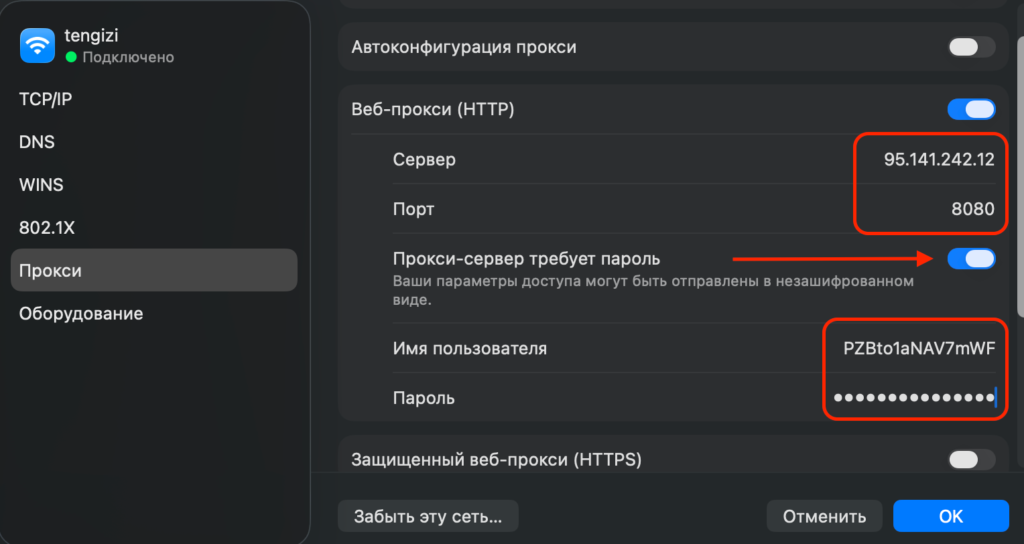
- After entering all connection details, click “OK” to save.
- To change the proxy, return to this window and replace the parameters with new ones.
- To disable the proxy, uncheck “Secure Web Proxy (HTTPS)” to use a direct connection.
Getting proxy data from Prosox
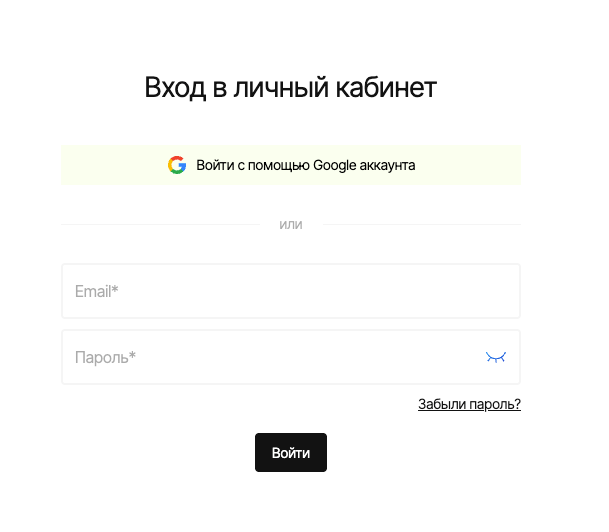
- Log into your Prosox account. If you don’t have an account yet, you can create one by confirming your email.
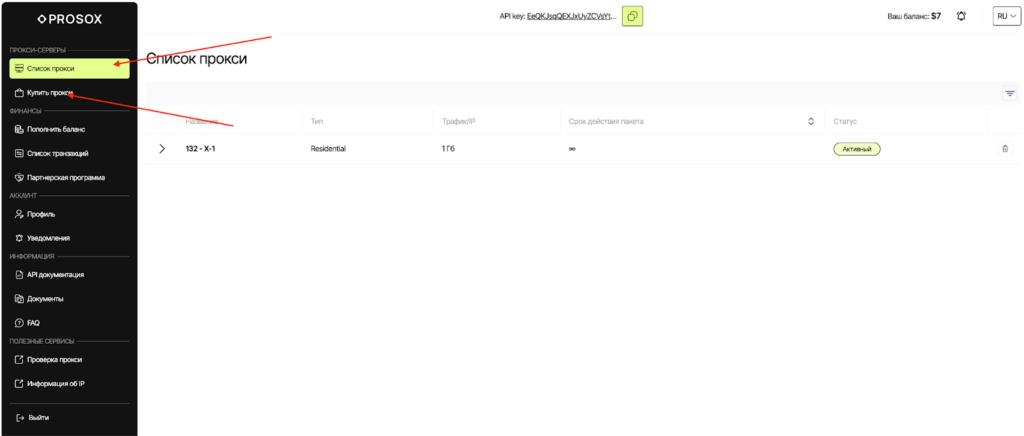
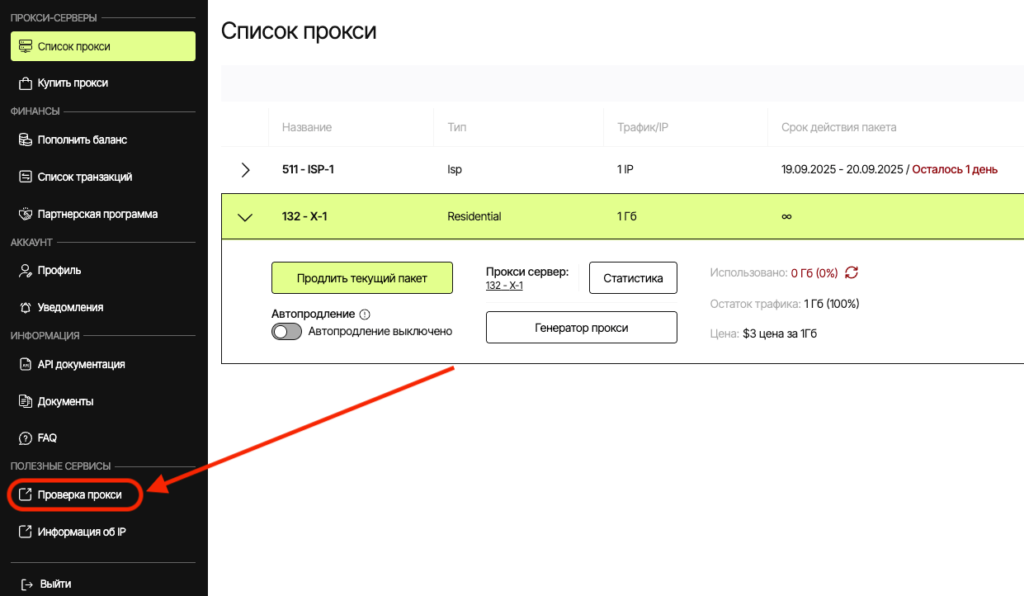
- Go to the “Proxy List” page if you already have proxies, or buy proxies if you haven’t done so yet.
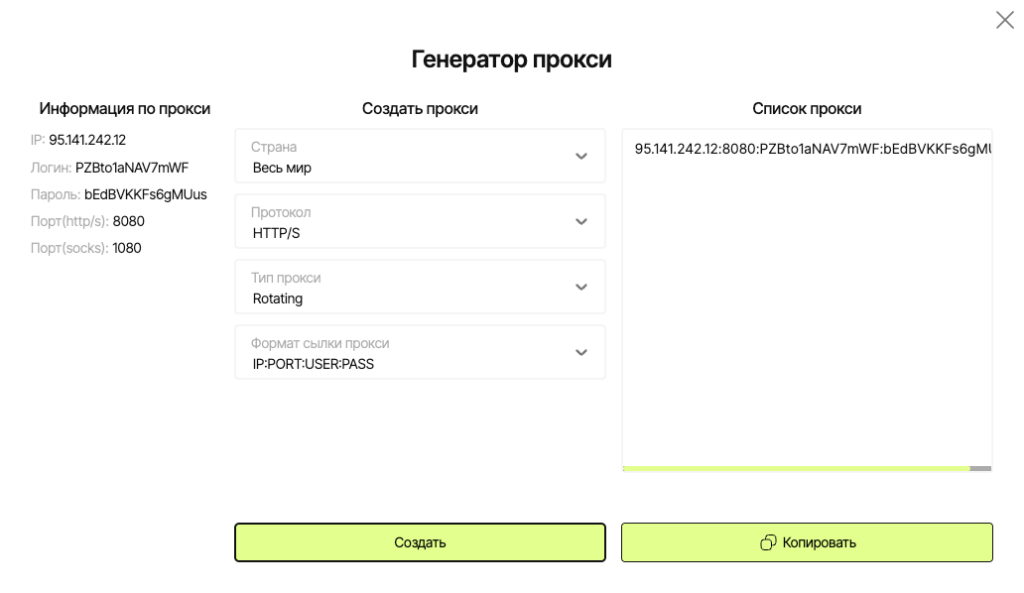
- Select plan/proxy type:
- Residential (rotating) – for “fussy” websites, parsing, advertising. IPs may change.
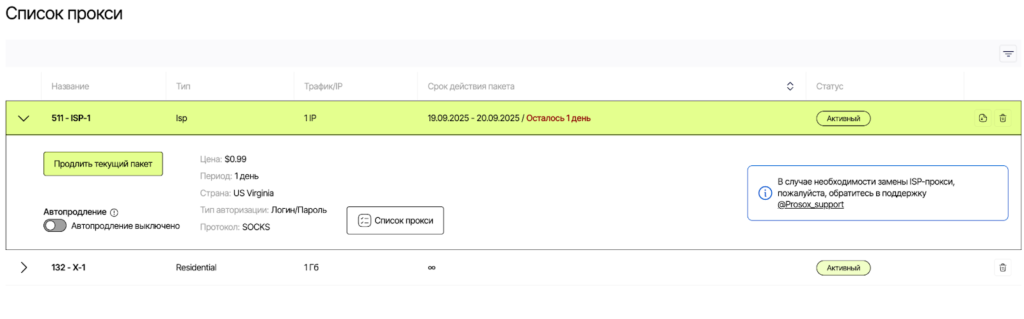
- ISP (static) – the same stable IP for long sessions, accounts, payments.
- Copy the connection parameters.
Connecting Prosox RESIDENTIAL Proxies
Example: You purchased residential proxy servers from Prosox.io and received the following:
95.141.242.12:8080:PZBto1aNAV7mWF:bEdBVKKFs6gMUus
- Select HTTP proxy type or SOCKS5 (as specified in your Prosox account).
- Server: paste your IP from Prosox (example: 95.141.242.12)
- Port: 8080
- Login: PZBto1aNAV7mWF
- Password: bEdBVKVFs6gMUus
- Proxy check.
In your personal account on Prosox.io, proxy server verification is already implemented. You can check the correct operation from your personal account.
Connecting Prosox ISP (STATIC) Proxies
Example: You purchased US proxy servers from Prosox.io and received the following:
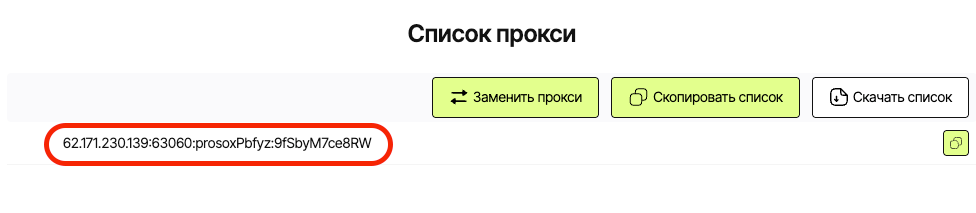
62.171.230.139:63060:prosoxPbfyz:9fSbyM7ce8RW
- Select proxy type HTTP or SOCKS5 (as specified in your Prosox account).
- Server: paste your IP from Prosox (62.171.230.139)
- Port: 63060
- Login: prosoxPbfyz
- Password: 9fSbyM7ce8RW
- Click “OK” to save the data.
Why ISP proxy: you get the same IP every time you run. This is ideal for long sessions: accounts, billing, payments, careful account management without IP “chatter”.
Additional features and recommendations
- Using proxies from Prosox.io allows you to choose a server in the desired country and select a usage scenario – stable (sticky) or dynamic (rotating) connections.
- Exceptions in the settings will help you avoid proxying selected websites – specify them in the dedicated field.
- After connecting, we recommend checking your IP change using services like 2ip.ru or browserleaks.com.
Why Prosox.io?
- Easy registration and quick access to the necessary proxy data (host, port, username, password).
- Choice between ISP and Residential proxies for any purpose.
- Support for all configuration questions and a test before purchase.
Setting up a proxy in Safari takes just a couple of minutes but gives you maximum control over network traffic. Use reliable solutions from Prosox.io – and get access to the data you need while remaining anonymous and protected.
- Retriv.Market – A marketplace for accounts with one-click purchasing.
- The Best Anti-Detection Browser is BitBrowser for Multi-Accounting.
- NoCaptchaAI | The Fastest & Most Affordable AI-Powered Captcha Solver
- Dolphin Anty — an anti-detect browser for multiple accounts
- XLogin setup
- ixBrowser setup
- VMLogin setup
- MULogin setup
- GeeLark Setup
- How to set up a proxy in Google Chrome browser

Would you like to receive a personalized offer?
If you need technical advice or have a specific request, please contact us.