
The Best Anti-Detection Browser is BitBrowser for Multi-Accounting.
18 Mar 2026
Reading time ~ 4 mins

Official website
Chinese version: https://www.bitbrowser.cn/?code=5df4f4ec
International version: https://www.bitbrowser.net/?code=5df4f4ec
What does BitBrowser do?
BitBrowser supports multi-user browser windows, multiple accounts (FB/TK/X/WS, etc.), and prevents interactions between accounts in different windows. Each window simulates independent computer information and proxy IP addresses, creating isolated environments that enhance account security! Developed using Google and Firefox engines, it achieves a secure and clean environment at the physical level. 100% isolation between browser windows is guaranteed. The collaborative management feature for multiple users increases the security of your accounts and operational efficiency!
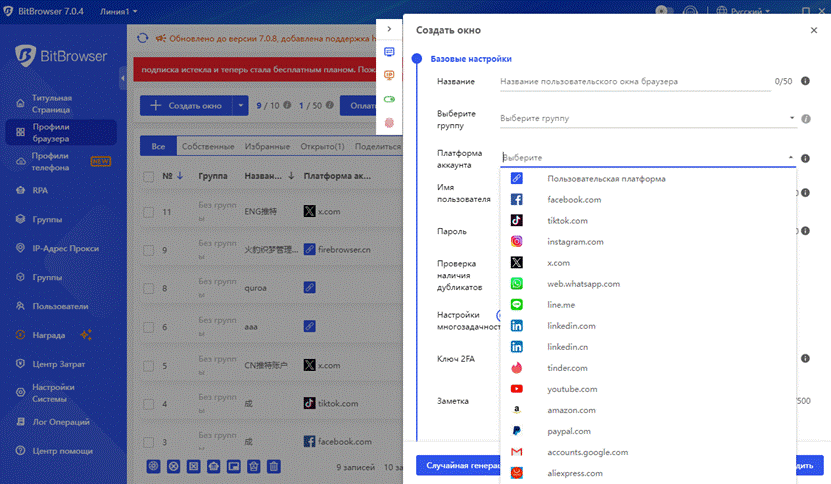
How is BitBrowser different from regular browsers?
BitBrowser allows you to manage multiple accounts without the risk of them becoming linked. When using BitBrowser, you can open multiple accounts on the same platform in separate browser windows, reducing the risk of being blocked due to account association.
What types of businesses is BitBrowser suitable for?
- In the field of cross-border e-commerce: the ability to open multiple store windows to work with multiple store accounts.
- For managing social media accounts: creating a matrix of social media accounts, maintaining them, and other operations.
- For web3.0 virtual businesses: effectively prevents associations during multiple logins, and also ensures protection of local privacy, blockchain, etc.
- For advertising/SEO optimization, etc.: Provides reliable protection of local information. Supports address changes to protect local information, research, etc.
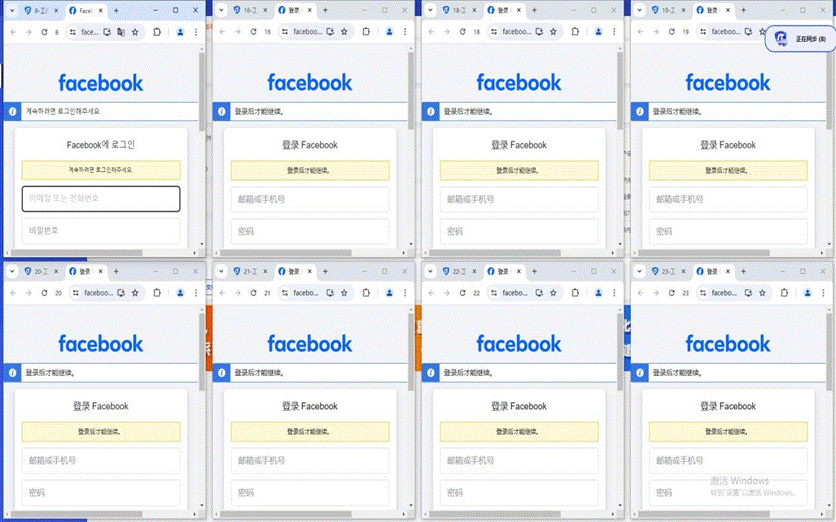
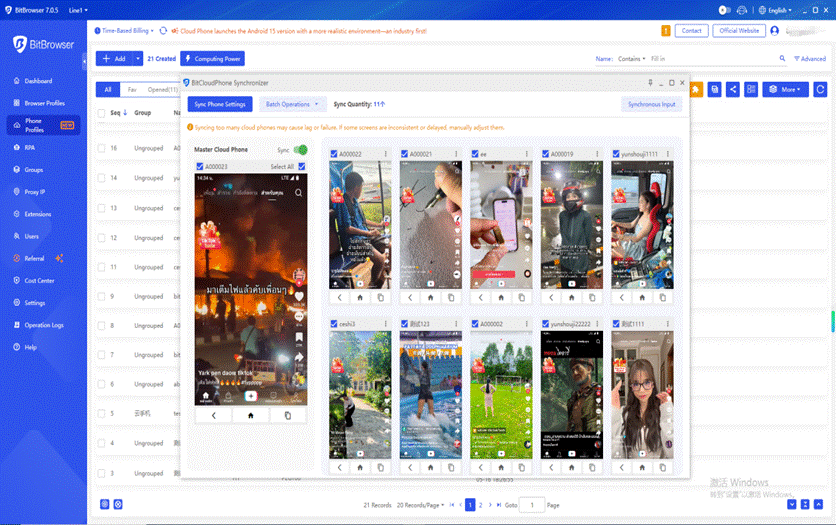
BitBrowser also integrates cloud phones feature:
Comparison with a huge array of real phone parameters – one device allows you to easily manage multiple cloud phones!
- Easy setup: Simply configure a proxy for easy access to major global apps. Supports one-click device creation for efficient mobile environment switching! Simple and quick phone profile setup
- Automatic matching with real phone parameters for efficient setup of international environments! Configure a proxy IP for your environment in one click, creating a fast, stable, and secure network environment. Native Google Play support ensures seamless access to international apps and services. Simulation of multiple parameters and environment authentication
- Simulation of a vast array of parameters using real phone chipsets provides a more realistic foreign phone environment. Automatically matches key settings such as language, time zone, location, carrier, and SIM card information based on IP addresses. Supports over 600 global carriers, automatically simulates SIM card information, and emulates various phone sensor parameters. Easily configure sub-account permissions for convenient account and asset management.
Flexible assignment of permissions to team sub-accounts and dynamically adjust the number of mobile environments a sub-account can use to effectively manage accounts and assets.
Flexible configuration of the number of mobile environments allows for maximum optimization of operating costs. Sub-accounts operate independently, maximizing unused resources and increasing environment utilization. Easily attract large numbers of international clients and implement matrix marketing!
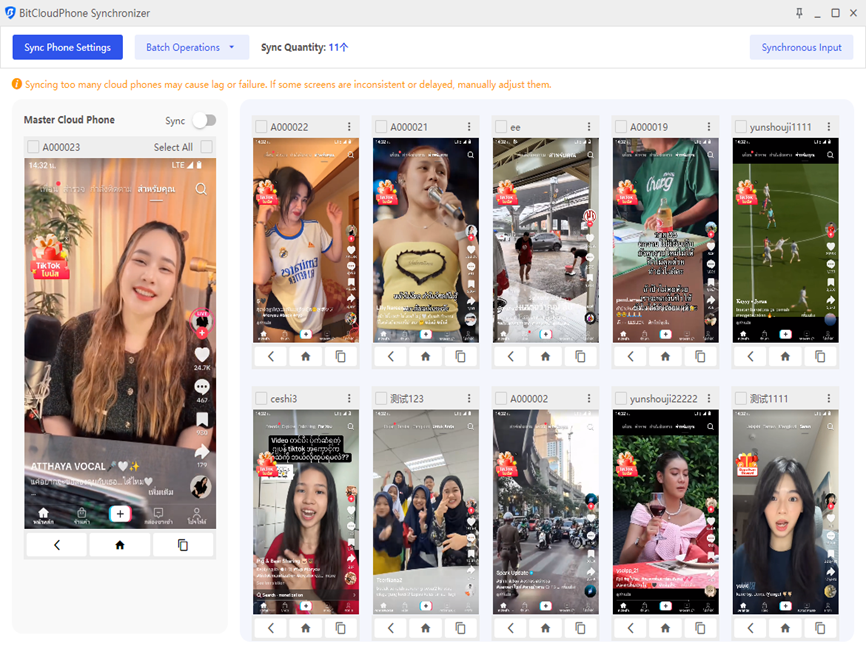
How to use BitBrowser?
BitBrowser usage method: Bit Fingerprint Browser provides 10 free profiles (10 profiles can be configured and opened). You must configure a static/dynamic proxy IP for each window and enable global local environment mode. Only after generating a digital fingerprint will the browser function properly. If no proxy is configured, a local proxy will be used. If 10 browser windows are not enough, you will need to purchase a paid membership package.
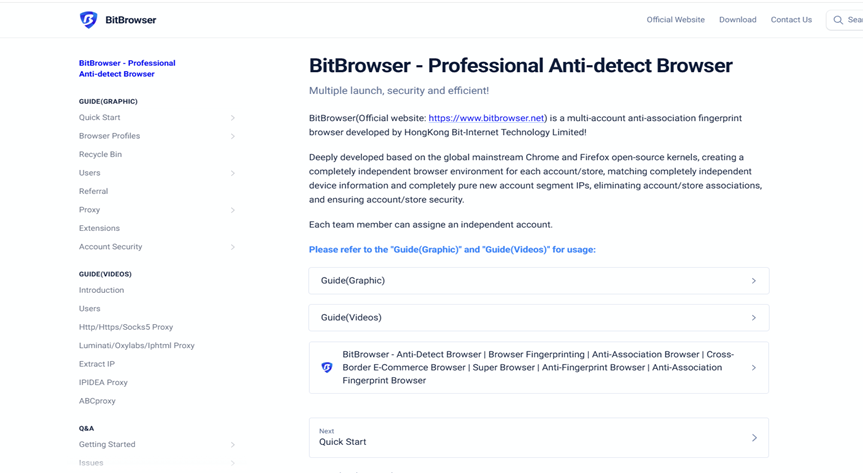
What features does BitBrowser have?
For details, see the official website:
https://www.bitbrowser.net/?code=5df4f4ec
- One-click sync: manage multiple windows simultaneously.
- Proxy settings: support for building a global proxy environment (static/dynamic proxy).
- Google/Firefox Core: Supports deep kernel-level development. Switch between cores in the browser.
- RPA automation: setting up automated programs to create ports and perform simple routine tasks.
- API: Local API – The software has built-in services that allow users to manage windows and run automated scripts through a local API call.
- Script Marketplace: Provides a script ecosystem and a publishing section for users and developers.
Batch processing functions
- Batch import/export of windows: bulk creation and upload, downloading of templates for filling and direct upload.
- Batch cookie import/export: Supports bulk downloading or exporting cookies for multiple windows.
- Batch proxy setup: Bulk proxy/window fingerprinting setup.
- Batch remote management: support for setting up sub-accounts, assigning employees, and collaborating.
Conclusion
BitBrowser can be used in various cross-border business scenarios. With BitBrowser, you can log into multiple accounts without any interactions between them. Managing multiple accounts is impossible without BitBrowser’s powerful anti-detection feature. It offers free, permanent use for up to 10 profiles, secure and efficient management of multiple accounts, distribution among employees, and is suitable for use with a proxy IP anywhere in the world.
- Retriv.Market – A marketplace for accounts with one-click purchasing.
- NoCaptchaAI | The Fastest & Most Affordable AI-Powered Captcha Solver
- Dolphin Anty — an anti-detect browser for multiple accounts
- XLogin setup
- ixBrowser setup
- VMLogin setup
- MULogin setup
- GeeLark Setup
- How to set up a proxy in Google Chrome browser
- How to set up a proxy in the Opera GX browser

Would you like to receive a personalized offer?
If you need technical advice or have a specific request, please contact us.