
How to set up a proxy in Google Chrome browser
05 Oct 2025
Reading time ~ 4 mins
Google Chrome is one of the most popular browsers in the world, providing users with a wide range of features. These include password and bookmark synchronization, automatic updates for protection against threats, as well as a huge number of extensions that enhance work convenience.
Using a proxy in Chrome provides the following advantages: hiding your real IP address to protect your identity and location, proxies prevent data leaks, especially when working on public Wi-Fi networks, allow access to resources with regional restrictions, and bypass censorship.
Step-by-step guide to setting up a proxy in Chrome
- In the browser menu, go to “Settings”.
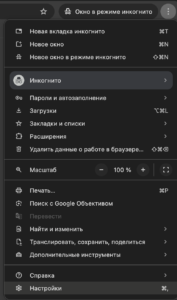
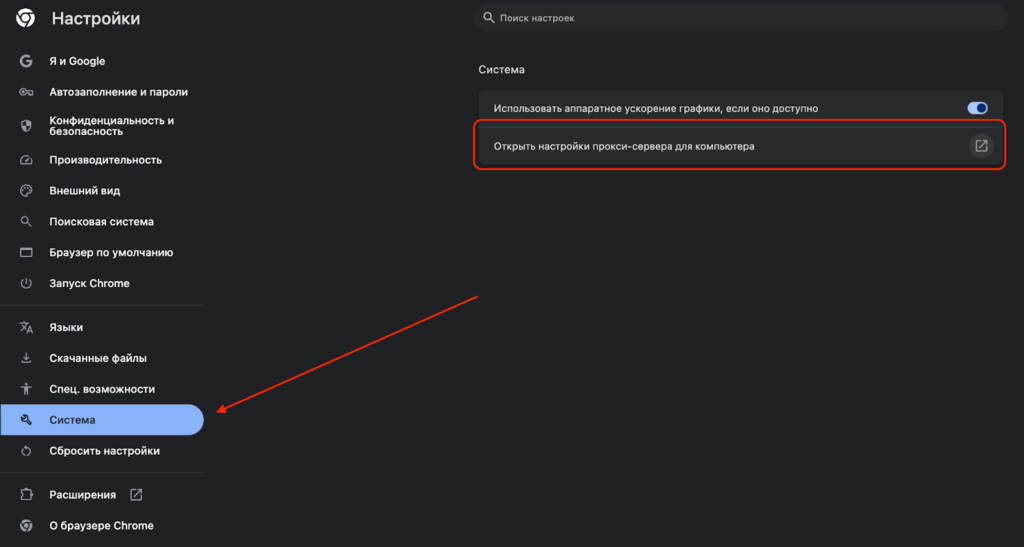
- In the “Browser” section, go to “System”; this option is at the bottom.
- Click “Proxy server settings”. This will redirect you to your computer’s system proxy settings.
- In the window that opens, select the proxy you purchased (HTTP/ HTTPS/ SOCKS).
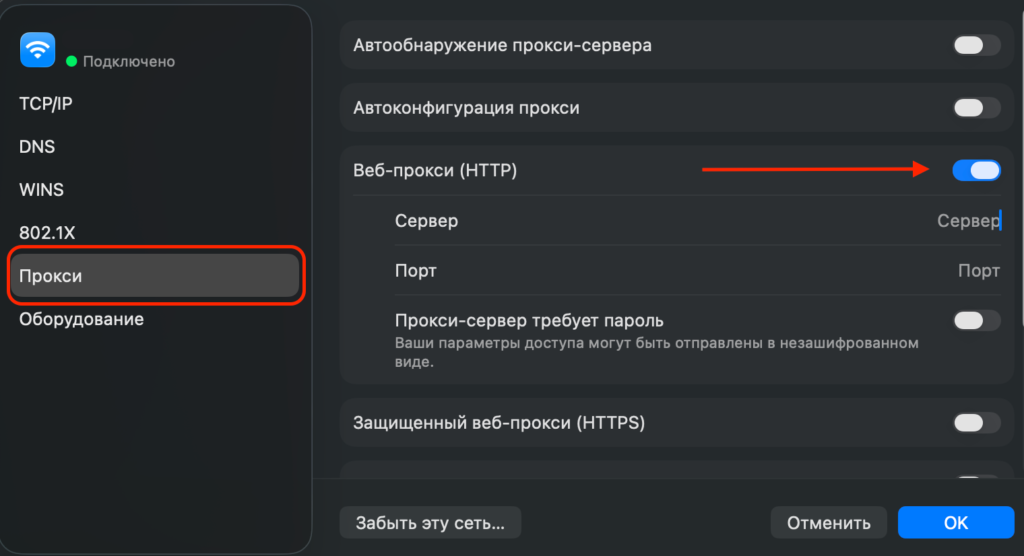
- Enter the IP address and port of the selected proxy server. If authorization is required, activate the option and enter your login and password.
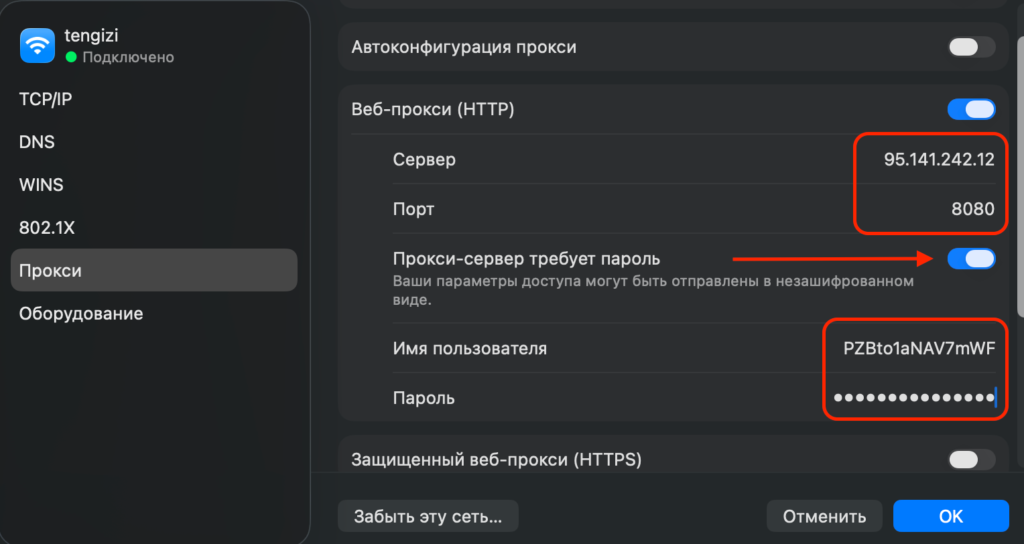
- After entering all connection details, click “OK” to save.
- To change the proxy, return to this window and replace the parameters with new ones.
- To disable the proxy, uncheck “Secure Web Proxy (HTTPS)” to use a direct connection.
Getting proxy data from Prosox
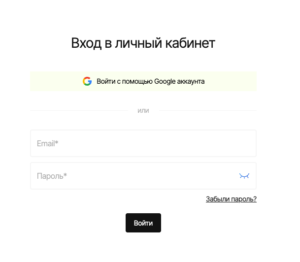
- Log in to your Prosox personal account. If you don’t have an account yet, you can create one by confirming your email.
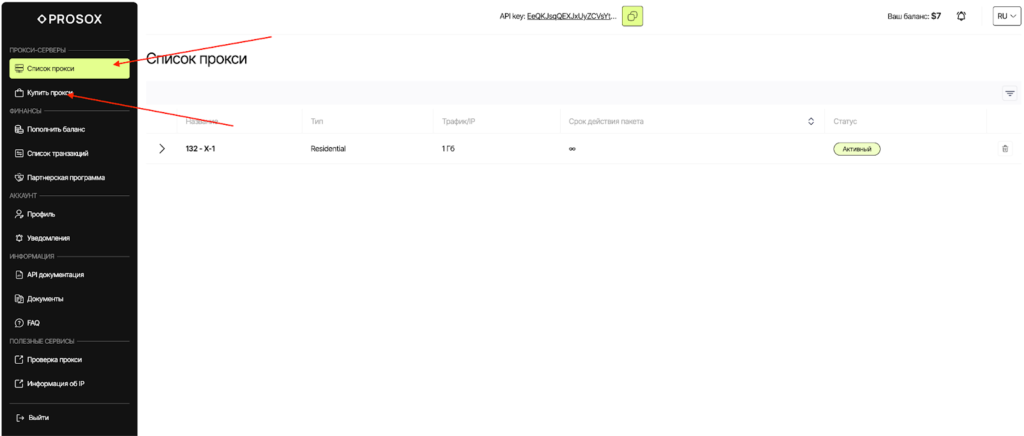
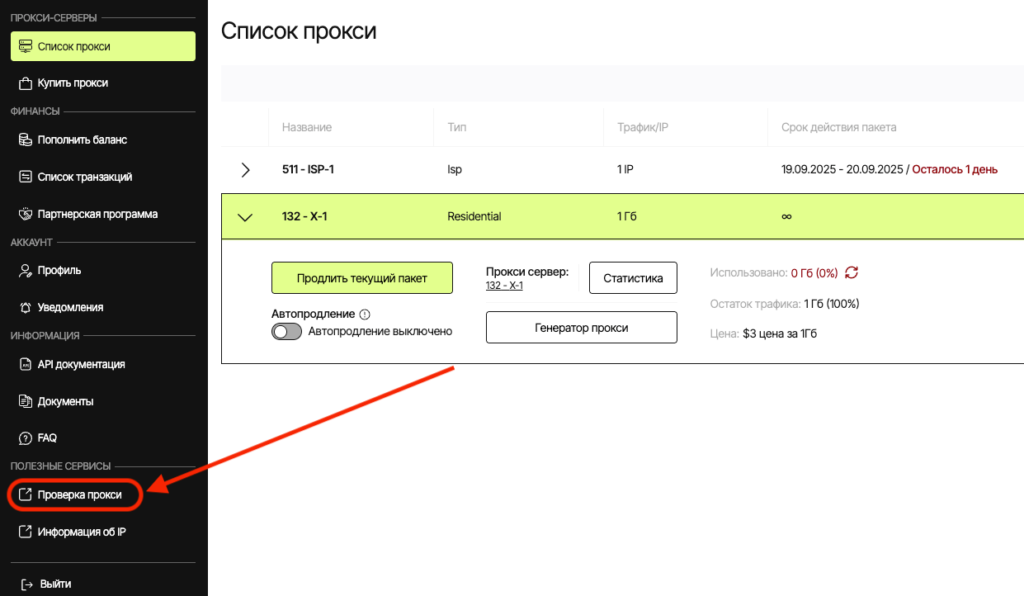
- Go to the “Proxy List” page if you already have proxies, or buy proxies if you haven’t done so yet.
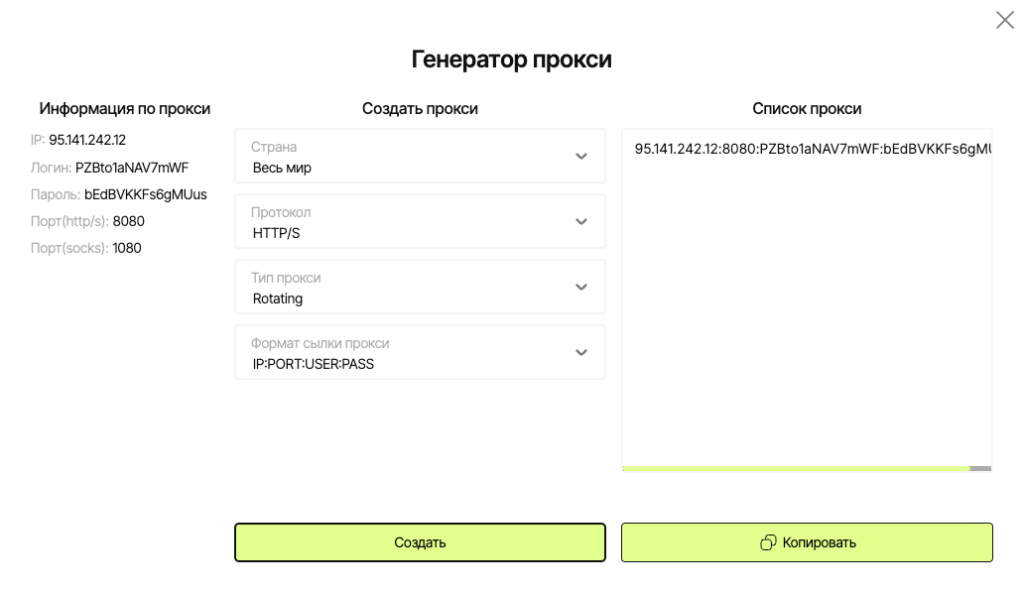
- Select plan/proxy type:
- Residential (rotating) – for “fussy” websites, parsing, advertising. IPs may change.
- ISP (static) – the same stable IP for long sessions, accounts, payments.
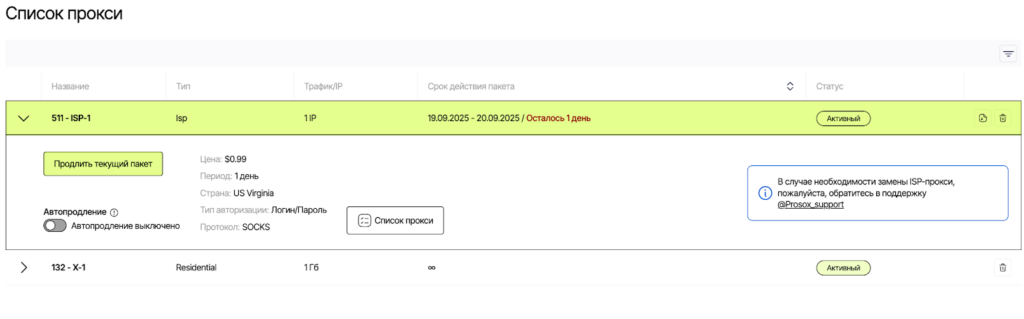
- Copy the connection parameters.
Connecting Prosox RESIDENTIAL Proxies
Example: You purchased residential proxy servers from Prosox.io and received the following:
95.141.242.12:8080:PZBto1aNAV7mWF:bEdBVKKFs6gMUus
- Select proxy type HTTPS or SOCKS5 (as specified in your Prosox account).
- Server: paste your IP from Prosox (example: 95.141.242.12)
- Port: 8080
- Login: PZBto1aNAV7mWF
- Password: bEdBVKVFs6gMUus
- Proxy check.
The Prosox.io personal account already includes proxy server verification. You can check the correct operation from your personal account.
Connecting Prosox ISP (STATIC) Proxies
Example: You purchased US proxy servers from Prosox.io and received the following:
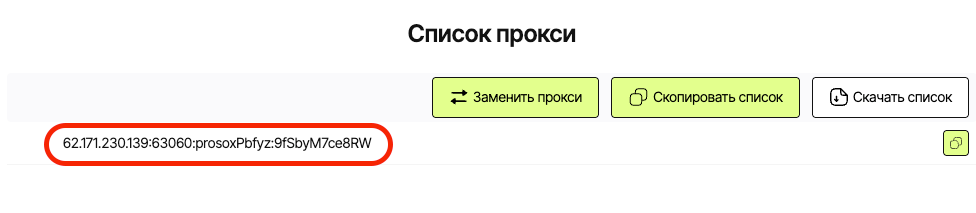
62.171.230.139:63060:prosoxPbfyz:9fSbyM7ce8RW
- Select proxy type HTTP or SOCKS5 (as specified in your Prosox account).
- Server: paste your IP from Prosox (62.171.230.139)
- Port: 63060
- Login: prosoxPbfyz
- Password: 9fSbyM7ce8RW
Why ISP proxies: you are guaranteed to get the same static IP address for each connection. This is critically important for stable, long sessions: such proxies are excellent for working with personal accounts, financial services, payment platforms, and careful account management – without sudden IP changes or “jumps” that modern security systems dislike.
Why Prosox.io?
Don’t rely on publicly available proxy servers for Google Chrome. Dozens and hundreds of people connect to such servers simultaneously, which makes the connection unstable, causing delays and interruptions. For real tasks on the internet, we recommend choosing private premium proxies from Prosox.io right away. With us, you’ll always find fast, clean, and reliable proxies for any task – from working with accounts to parsing and automation.
Use convenient tools and reliable proxies from Prosox.io for safe and free internet surfing!
You might also be interested in:
- Retriv.Market – A marketplace for accounts with one-click purchasing.
- The Best Anti-Detection Browser is BitBrowser for Multi-Accounting.
- NoCaptchaAI | The Fastest & Most Affordable AI-Powered Captcha Solver
- Dolphin Anty — an anti-detect browser for multiple accounts
- XLogin setup
- ixBrowser setup
- VMLogin setup
- MULogin setup
- GeeLark Setup
- How to set up a proxy in the Opera GX browser

Would you like to receive a personalized offer?
If you need technical advice or have a specific request, please contact us.